Press kit
Everything you need to write about Screenshot Text. Use any of these assets freely in coverage of the app.
Key facts
- Product
- Screenshot Text
- What it is
- Menu bar OCR app: copy text and code from anything on screen in one keystroke (⌘⇧7)
- Platform
- macOS 13 or later, Apple Silicon
- Price
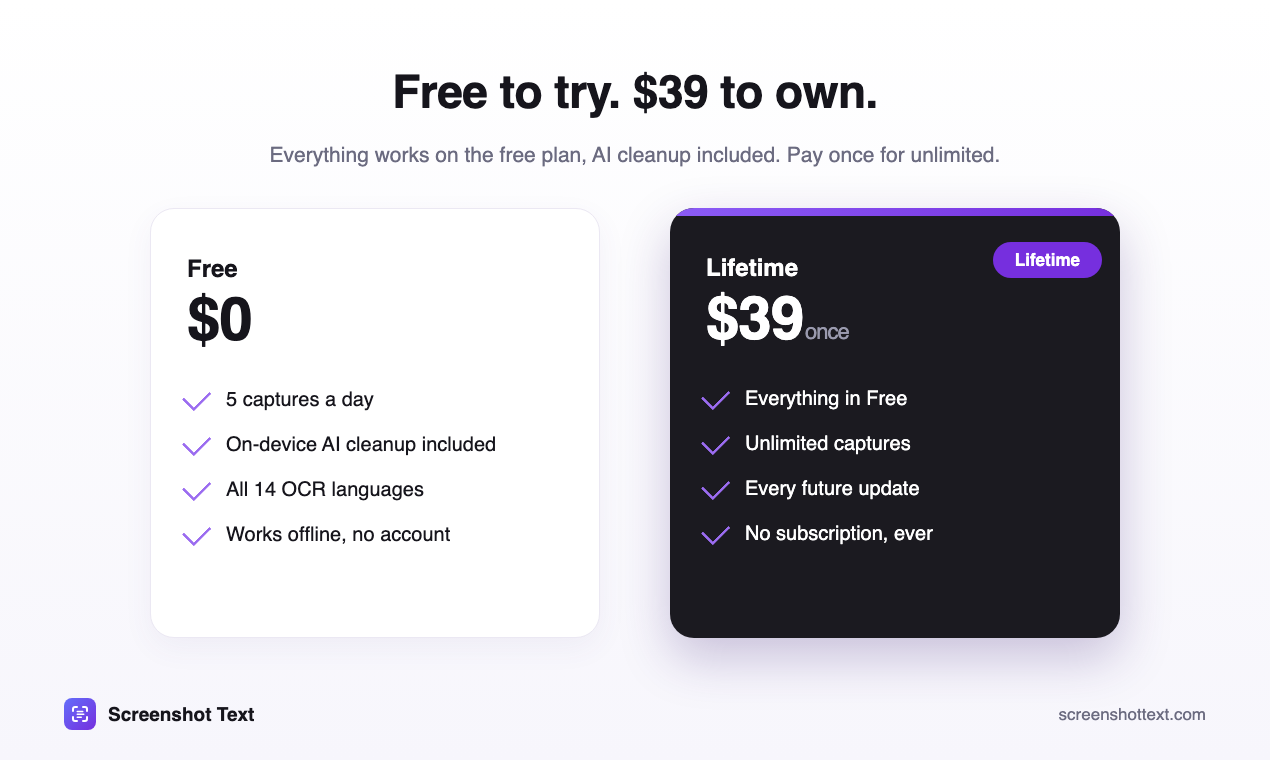
- Free for 5 captures a day · Lifetime $39 one-time, no subscription
- Privacy
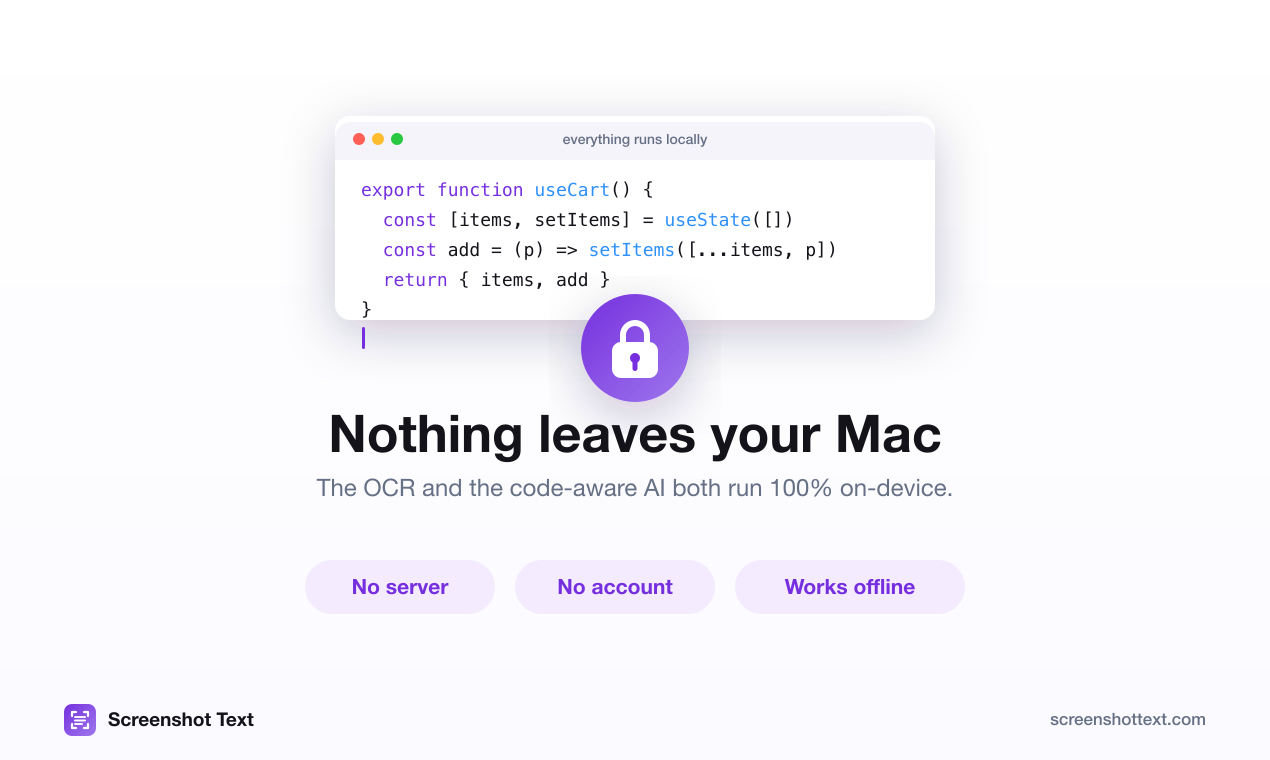
- On-device OCR (Apple Vision) and on-device AI cleanup. No account, no uploads, works offline
- Languages
- 14 OCR languages, auto-detected
- Launched
- June 2026 · current version 1.1.4
- Maker
- Mike, independent developer · PLOREC LTD (England and Wales)
- Contact
- @current_user_1 on X
About the app
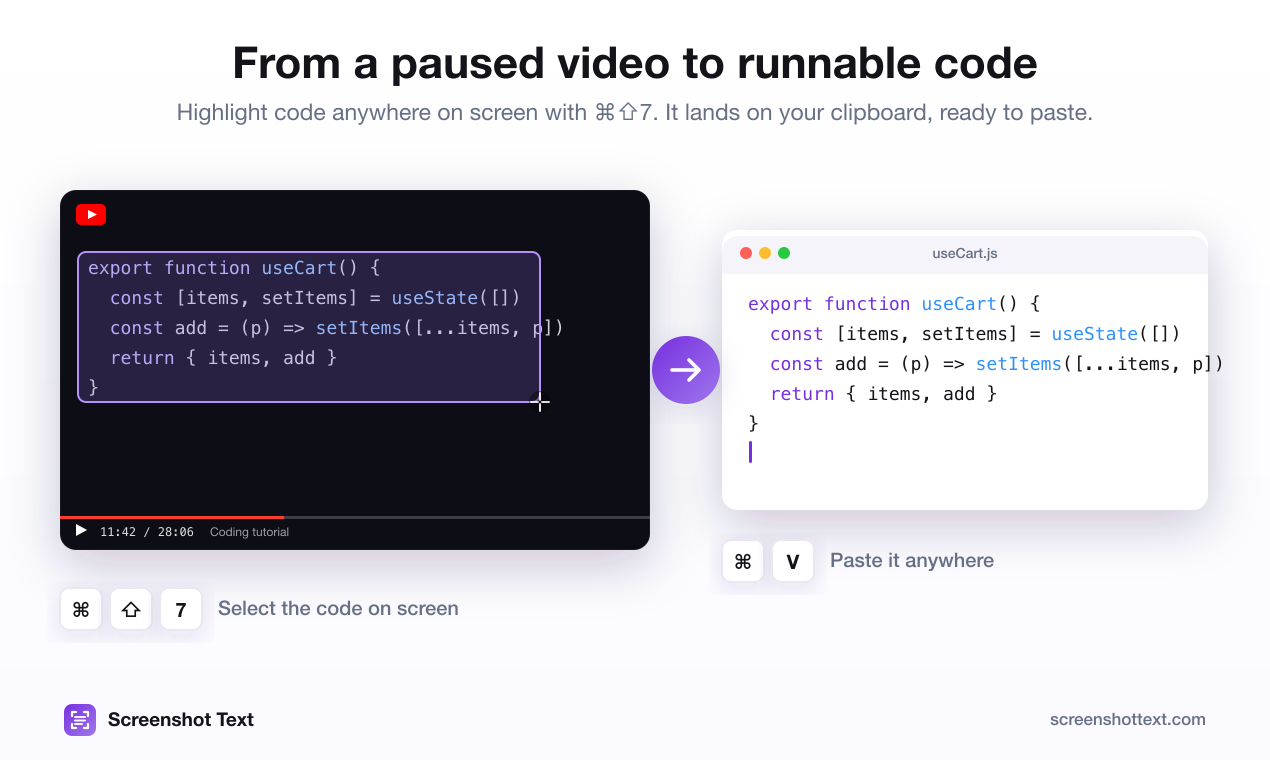
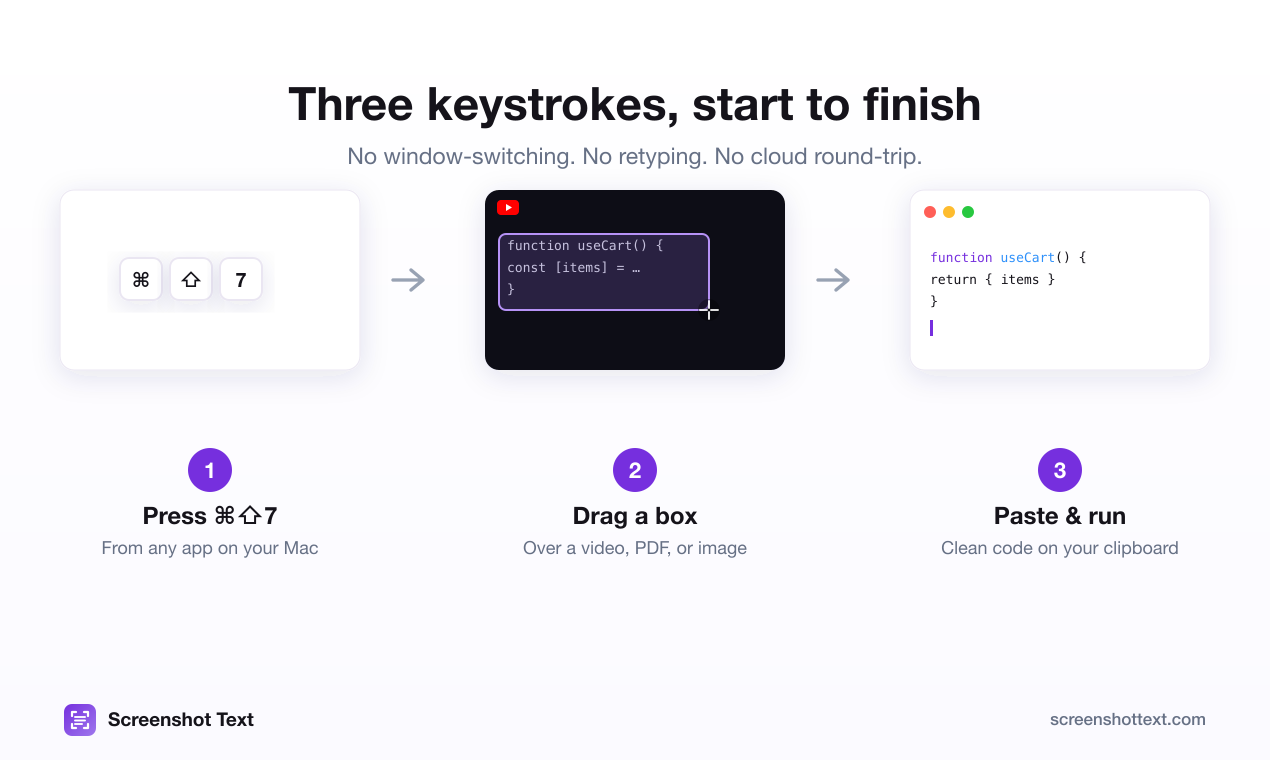
Screenshot Text turns anything on your Mac screen into text you can paste, in one keystroke. Press ⌘⇧7 and drag over a paused coding tutorial, a scanned PDF, a photo or an app that won't let you select text; the text lands on your clipboard.
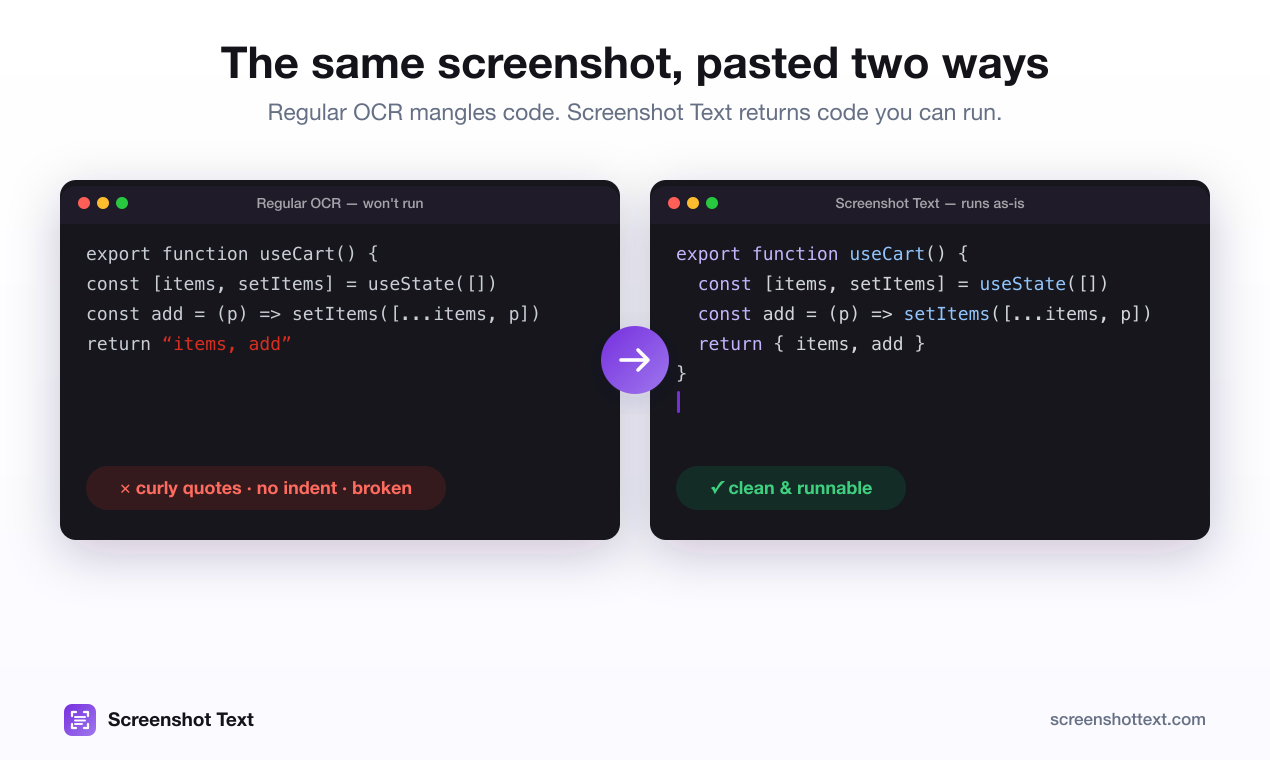
It's built for code. Plain OCR flattens source code: indentation disappears, quotes turn curly, a capital I becomes a lowercase l. Code mode keeps the structure, and an optional AI pass, running a small open-source model entirely on the Mac, repairs what OCR gets wrong. Nothing is uploaded and there's no account. More about the maker on the about page.
Logos and icon

Screenshots
Contact
For interviews, review licenses or anything else, message Mike on X at @current_user_1.